
In completing tasks, Python IDEs provides greater productivity and performance thereby enabling to decrease typing errors at the very same moment.
Whether you are new to the world of programming or you are already a seasoned professional, you need an IDE (Integrated Development Environment) to demonstrate your programming skills and abilities. An IDE is a tool that comprises popular Tools of developers into one user-friendly GUI (Graphical User Interface).
An IDE primarily comprises a source code editor that helps to write software code, a compiler/interpreter, a debugger, a code profiler, and many such features. Also, it has a debugger, a method for testing other programs.
It offers automation tools that make it simpler for programmers to conduct manual tasks such as selection, integration, and deployment elsewhere.
Let us first start discussing the Top 10 IDEs available for developers in 2022.
Key Summary
This article from InApps Technology, published in 2022 and authored by Phu Nguyen, lists the top 10 Python Integrated Development Environments (IDEs) for developers in 2022, catering to both beginners and seasoned professionals. An IDE integrates tools like source code editors, compilers/interpreters, debuggers, and automation features into a user-friendly GUI, enhancing productivity and reducing coding errors. The listed IDEs—PyCharm, PyDev, IDLE, Visual Studio Code, Spyder, Thonny, Wing, Atom, Eric, and Rodeo—offer features like syntax highlighting, code completion, debugging, and integration with scientific libraries (e.g., Matplotlib, NumPy). Each IDE is tailored for specific needs, such as data science (Spyder, Rodeo), beginner learning (Thonny, IDLE), or enterprise development (PyCharm, Visual Studio Code). InApps emphasizes its expertise in Python development for web, AI, and app projects.
- Context: Author: Phu Nguyen, a senior tech enthusiast with expertise in software development. Theme: Python IDEs boost productivity, streamline coding tasks, and support diverse applications like web development, data science, and AI. Source: InApps article, guiding developers to choose the right IDE.
- Author: Phu Nguyen, a senior tech enthusiast with expertise in software development.
- Theme: Python IDEs boost productivity, streamline coding tasks, and support diverse applications like web development, data science, and AI.
- Source: InApps article, guiding developers to choose the right IDE.
- Key Points: Role of IDEs: Purpose: Combine code editing, debugging, testing, and automation in a single GUI, improving efficiency and reducing errors. Benefits: Enhance productivity, simplify manual tasks (e.g., integration, deployment), and support beginners and professionals. Top 10 Python IDEs: PyCharm (JetBrains): Features: Smart code assistance, syntax highlighting, code completion, debugging, supports Django, Flask, Google App Engine, full database management (premium). Use: Web development, data science, ML, remote deployment. Platforms: Windows, macOS, Linux. Pricing: Free Community, $99/year (Professional). Strength: Robust automation, scientific library support (e.g., Matplotlib, SciPy). PyDev (Eclipse Plugin): Features: Code completion, refactoring, Django integration, graphical debugging, supports CPython, Jython, IronPython. Use: General Python projects, unit testing. Platforms: Cross-platform (via Eclipse). Pricing: Free. Strength: Open-source, integrates with Git, beginner-friendly. IDLE: Features: Built-in Python IDE, syntax highlighting, debugger with breakpoints, search/replace, uses Tkinter GUI. Use: Simple projects (e.g., web scraping, games, office automation). Platforms: Cross-platform. Pricing: Free. Strength: No installation needed, ideal for beginners and education. Visual Studio Code (Microsoft): Features: IntelliSense, debugging console, extension-based (4700+ extensions), supports multiple languages. Use: Python development, cross-language projects. Platforms: Cross-platform. Pricing: Free. Strength: Lightweight, large community, customizable. Spyder: Features: Syntax highlighting, code completion, IPython support, integrates Matplotlib, NumPy, SciPy, designed for data science. Use: Scientific computing, data exploration. Platforms: Cross-platform (via Anaconda). Pricing: Free. Strength: Scalable, scientific library integration. Thonny (University of Tartu): Features: Simple UI, code completion, lightweight, beginner-focused. Use: Learning Python, small projects. Platforms: Cross-platform. Pricing: Free. Strength: Beginner-friendly, minimalist design. Wing: Features: Code navigation, powerful debugger, unit testing, remote development, customizable. Use: Professional Python development. Platforms: Cross-platform. Pricing: Free (Wing 101/Personal), paid from $TBD (Wing Pro). Strength: Robust debugging, enterprise-ready. Atom: Features: Syntax highlighting, code completion, customizable UI, supports Rust, Go. Use: General programming, Python projects. Platforms: Cross-platform. Pricing: Free. Strength: Highly configurable, community-driven. Eric: Features: Syntax highlighting, code folding, brace matching, plugin system, built with Qt and Scintilla. Use: General Python development, advanced projects. Platforms: Cross-platform. Pricing: Free. Strength: Extensible, robust features. Rodeo: Features: IPython support, syntax highlighting, code completion, cheat sheets, designed for data science. Use: Data science, machine learning, experimentation. Platforms: Cross-platform. Pricing: Free. Strength: Data science-focused, beginner-friendly. Key Insights: Beginner-Friendly: IDLE, Thonny, Rodeo are ideal for novices due to simple UI and no setup. Data Science: Spyder, Rodeo, PyCharm excel with scientific library support. Professional Use: PyCharm, Visual Studio Code, Wing offer advanced features for enterprise and remote development. Comparison: Spyder is lighter than PyCharm but has fewer plugins; PyCharm is more customizable; VS Code is versatile with extensions.
- Role of IDEs: Purpose: Combine code editing, debugging, testing, and automation in a single GUI, improving efficiency and reducing errors. Benefits: Enhance productivity, simplify manual tasks (e.g., integration, deployment), and support beginners and professionals.
- Purpose: Combine code editing, debugging, testing, and automation in a single GUI, improving efficiency and reducing errors.
- Benefits: Enhance productivity, simplify manual tasks (e.g., integration, deployment), and support beginners and professionals.
- Top 10 Python IDEs: PyCharm (JetBrains): Features: Smart code assistance, syntax highlighting, code completion, debugging, supports Django, Flask, Google App Engine, full database management (premium). Use: Web development, data science, ML, remote deployment. Platforms: Windows, macOS, Linux. Pricing: Free Community, $99/year (Professional). Strength: Robust automation, scientific library support (e.g., Matplotlib, SciPy). PyDev (Eclipse Plugin): Features: Code completion, refactoring, Django integration, graphical debugging, supports CPython, Jython, IronPython. Use: General Python projects, unit testing. Platforms: Cross-platform (via Eclipse). Pricing: Free. Strength: Open-source, integrates with Git, beginner-friendly. IDLE: Features: Built-in Python IDE, syntax highlighting, debugger with breakpoints, search/replace, uses Tkinter GUI. Use: Simple projects (e.g., web scraping, games, office automation). Platforms: Cross-platform. Pricing: Free. Strength: No installation needed, ideal for beginners and education. Visual Studio Code (Microsoft): Features: IntelliSense, debugging console, extension-based (4700+ extensions), supports multiple languages. Use: Python development, cross-language projects. Platforms: Cross-platform. Pricing: Free. Strength: Lightweight, large community, customizable. Spyder: Features: Syntax highlighting, code completion, IPython support, integrates Matplotlib, NumPy, SciPy, designed for data science. Use: Scientific computing, data exploration. Platforms: Cross-platform (via Anaconda). Pricing: Free. Strength: Scalable, scientific library integration. Thonny (University of Tartu): Features: Simple UI, code completion, lightweight, beginner-focused. Use: Learning Python, small projects. Platforms: Cross-platform. Pricing: Free. Strength: Beginner-friendly, minimalist design. Wing: Features: Code navigation, powerful debugger, unit testing, remote development, customizable. Use: Professional Python development. Platforms: Cross-platform. Pricing: Free (Wing 101/Personal), paid from $TBD (Wing Pro). Strength: Robust debugging, enterprise-ready. Atom: Features: Syntax highlighting, code completion, customizable UI, supports Rust, Go. Use: General programming, Python projects. Platforms: Cross-platform. Pricing: Free. Strength: Highly configurable, community-driven. Eric: Features: Syntax highlighting, code folding, brace matching, plugin system, built with Qt and Scintilla. Use: General Python development, advanced projects. Platforms: Cross-platform. Pricing: Free. Strength: Extensible, robust features. Rodeo: Features: IPython support, syntax highlighting, code completion, cheat sheets, designed for data science. Use: Data science, machine learning, experimentation. Platforms: Cross-platform. Pricing: Free. Strength: Data science-focused, beginner-friendly.
- PyCharm (JetBrains): Features: Smart code assistance, syntax highlighting, code completion, debugging, supports Django, Flask, Google App Engine, full database management (premium). Use: Web development, data science, ML, remote deployment. Platforms: Windows, macOS, Linux. Pricing: Free Community, $99/year (Professional). Strength: Robust automation, scientific library support (e.g., Matplotlib, SciPy).
- Features: Smart code assistance, syntax highlighting, code completion, debugging, supports Django, Flask, Google App Engine, full database management (premium).
- Use: Web development, data science, ML, remote deployment.
- Platforms: Windows, macOS, Linux.
- Pricing: Free Community, $99/year (Professional).
- Strength: Robust automation, scientific library support (e.g., Matplotlib, SciPy).
- PyDev (Eclipse Plugin): Features: Code completion, refactoring, Django integration, graphical debugging, supports CPython, Jython, IronPython. Use: General Python projects, unit testing. Platforms: Cross-platform (via Eclipse). Pricing: Free. Strength: Open-source, integrates with Git, beginner-friendly.
- Features: Code completion, refactoring, Django integration, graphical debugging, supports CPython, Jython, IronPython.
- Use: General Python projects, unit testing.
- Platforms: Cross-platform (via Eclipse).
- Pricing: Free.
- Strength: Open-source, integrates with Git, beginner-friendly.
- IDLE: Features: Built-in Python IDE, syntax highlighting, debugger with breakpoints, search/replace, uses Tkinter GUI. Use: Simple projects (e.g., web scraping, games, office automation). Platforms: Cross-platform. Pricing: Free. Strength: No installation needed, ideal for beginners and education.
- Features: Built-in Python IDE, syntax highlighting, debugger with breakpoints, search/replace, uses Tkinter GUI.
- Use: Simple projects (e.g., web scraping, games, office automation).
- Platforms: Cross-platform.
- Pricing: Free.
- Strength: No installation needed, ideal for beginners and education.
- Visual Studio Code (Microsoft): Features: IntelliSense, debugging console, extension-based (4700+ extensions), supports multiple languages. Use: Python development, cross-language projects. Platforms: Cross-platform. Pricing: Free. Strength: Lightweight, large community, customizable.
- Features: IntelliSense, debugging console, extension-based (4700+ extensions), supports multiple languages.
- Use: Python development, cross-language projects.
- Platforms: Cross-platform.
- Pricing: Free.
- Strength: Lightweight, large community, customizable.
- Spyder: Features: Syntax highlighting, code completion, IPython support, integrates Matplotlib, NumPy, SciPy, designed for data science. Use: Scientific computing, data exploration. Platforms: Cross-platform (via Anaconda). Pricing: Free. Strength: Scalable, scientific library integration.
- Features: Syntax highlighting, code completion, IPython support, integrates Matplotlib, NumPy, SciPy, designed for data science.
- Use: Scientific computing, data exploration.
- Platforms: Cross-platform (via Anaconda).
- Pricing: Free.
- Strength: Scalable, scientific library integration.
- Thonny (University of Tartu): Features: Simple UI, code completion, lightweight, beginner-focused. Use: Learning Python, small projects. Platforms: Cross-platform. Pricing: Free. Strength: Beginner-friendly, minimalist design.
- Features: Simple UI, code completion, lightweight, beginner-focused.
- Use: Learning Python, small projects.
- Platforms: Cross-platform.
- Pricing: Free.
- Strength: Beginner-friendly, minimalist design.
- Wing: Features: Code navigation, powerful debugger, unit testing, remote development, customizable. Use: Professional Python development. Platforms: Cross-platform. Pricing: Free (Wing 101/Personal), paid from $TBD (Wing Pro). Strength: Robust debugging, enterprise-ready.
- Features: Code navigation, powerful debugger, unit testing, remote development, customizable.
- Use: Professional Python development.
- Platforms: Cross-platform.
- Pricing: Free (Wing 101/Personal), paid from $TBD (Wing Pro).
- Strength: Robust debugging, enterprise-ready.
- Atom: Features: Syntax highlighting, code completion, customizable UI, supports Rust, Go. Use: General programming, Python projects. Platforms: Cross-platform. Pricing: Free. Strength: Highly configurable, community-driven.
- Features: Syntax highlighting, code completion, customizable UI, supports Rust, Go.
- Use: General programming, Python projects.
- Platforms: Cross-platform.
- Pricing: Free.
- Strength: Highly configurable, community-driven.
- Eric: Features: Syntax highlighting, code folding, brace matching, plugin system, built with Qt and Scintilla. Use: General Python development, advanced projects. Platforms: Cross-platform. Pricing: Free. Strength: Extensible, robust features.
- Features: Syntax highlighting, code folding, brace matching, plugin system, built with Qt and Scintilla.
- Use: General Python development, advanced projects.
- Platforms: Cross-platform.
- Pricing: Free.
- Strength: Extensible, robust features.
- Rodeo: Features: IPython support, syntax highlighting, code completion, cheat sheets, designed for data science. Use: Data science, machine learning, experimentation. Platforms: Cross-platform. Pricing: Free. Strength: Data science-focused, beginner-friendly.
- Features: IPython support, syntax highlighting, code completion, cheat sheets, designed for data science.
- Use: Data science, machine learning, experimentation.
- Platforms: Cross-platform.
- Pricing: Free.
- Strength: Data science-focused, beginner-friendly.
- Key Insights: Beginner-Friendly: IDLE, Thonny, Rodeo are ideal for novices due to simple UI and no setup. Data Science: Spyder, Rodeo, PyCharm excel with scientific library support. Professional Use: PyCharm, Visual Studio Code, Wing offer advanced features for enterprise and remote development. Comparison: Spyder is lighter than PyCharm but has fewer plugins; PyCharm is more customizable; VS Code is versatile with extensions.
- Beginner-Friendly: IDLE, Thonny, Rodeo are ideal for novices due to simple UI and no setup.
- Data Science: Spyder, Rodeo, PyCharm excel with scientific library support.
- Professional Use: PyCharm, Visual Studio Code, Wing offer advanced features for enterprise and remote development.
- Comparison: Spyder is lighter than PyCharm but has fewer plugins; PyCharm is more customizable; VS Code is versatile with extensions.
- InApps Insight: InApps Technology, ranked 1st in Vietnam and 5th in Southeast Asia for app and software development, specializes in Python development for web, AI, data science, and app projects, using React Native, ReactJS, Node.js, Vue.js, Microsoft’s Power Platform, Azure, Power Fx (low-code), Azure Durable Functions, and GraphQL APIs (e.g., Apollo). Offers outsourcing services for startups and enterprises, delivering cost-effective solutions at 30% of local vendor costs, supported by Vietnam’s 430,000 software developers and 1.03 million ICT professionals. Relevance: Expertise in Python and IDEs like PyCharm, VS Code, and Spyder aligns with building scalable, data-driven applications.
- InApps Technology, ranked 1st in Vietnam and 5th in Southeast Asia for app and software development, specializes in Python development for web, AI, data science, and app projects, using React Native, ReactJS, Node.js, Vue.js, Microsoft’s Power Platform, Azure, Power Fx (low-code), Azure Durable Functions, and GraphQL APIs (e.g., Apollo).
- Offers outsourcing services for startups and enterprises, delivering cost-effective solutions at 30% of local vendor costs, supported by Vietnam’s 430,000 software developers and 1.03 million ICT professionals.
- Relevance: Expertise in Python and IDEs like PyCharm, VS Code, and Spyder aligns with building scalable, data-driven applications.
- Call to Action: Contact InApps Technology at www.inapps.net or sales@inapps.net to develop Python-based web, AI, or data science applications using top IDEs for efficient development.
- Contact InApps Technology at www.inapps.net or sales@inapps.net to develop Python-based web, AI, or data science applications using top IDEs for efficient development.
PyCharm
This Python scripting tool is developed by JetBrains and can run on various operating systems. It is among the pioneering IDEs that enables developers to build Python plugins using different PyCharm APIs.
Update Nordstrom Builds Flexible Backend Ops with Kubernetes, Spark and JanusGraph
You can produce maintainable and clean code with this IDE, primarily due to its smart assistance features. It has automated functionality that helps you save time and simultaneously improves your efficiency.
The community version of PyCharm is fascinating since it has various characteristics, including syntax highlighting, auto-completion, and verification of live code. The premium version, such as Django, Flask, Google App, Engine, Pyramid, and web2py, has additional features such as full database management etc.
Features of PyCharm
- It offers support for integration tools.
- It provides means for scientific libraries, such as Matplotlib and SciPy, to make data science and ML tasks easier.
- It supports debugging and testing programs.
- PyCharm enables to run, debug, test, and deploy applications on remote hosts or virtual machines.
- It offers import help for importing missing libraries.
- It supports intention actions and quick fixes for optimizing code.
PyDev
This IDE is written in Java but you can always make use of Eclipse to install the 3rd-party Pydev plugin for use on Python.
A robust, open-source Programming language, PyDev helps developers to easily implement their project life cycle. It enables code analysis, python code refactoring, and graphical pattern debugging.
It is is free, platform-independent, and facilitates the Eclipse universe with outstanding authenticity. It makes use of advanced inference techniques to offer components such as code completion and many more. The IDE also gives you access to the following features: debugger, Django, an interactive console, basic syntax highlighting, code coverage, etc.
Features of Pydev
- It is simple to learn and also includes several features (CPython, Jython, IronPython)
- It has code completion, auto import, and code refactoring facilities.
- It enables integration with Django.
- It imbibes a strong debugger.
- It supports unit testing by providing Unittest integration.
- It provides code control with its Git integration.
Idle
This open-source cross-platform IDE is a default language that developers can quickly locate on Python without any extra configuration or installation. Because of its Python-integrated environment, it enjoys a reputation as one of the top Python IDEs for developers in 2022.
And for its compact and simple to comprehend features, many beginner-level developers and educational establishments use IDLE for training; you can create projects such as simple web scraping apps, game development for web browsers, and office automation.
Since the capacities of IDLE do not match advanced projects, once you understand the basics, it is often beneficial to move to a more advanced IDE.
Features of Idle
- It is coded in 100% pure Python, using the Tkinter GUI toolkit
- It is a cross-platform IDE.
- You can search within any window, replace within editor windows, and search through multiple files (grep)
- It has a debugger with persistent breakpoints, stepping, and viewing of local and global namespaces
- It supports configuration, browsers, and other dialogs
Visual Studio Code
With the largest number of contributors on GitHub, VS Code is a popular Microsoft project. This project has enhanced the prominence of Microsoft and established it as one of the biggest community tech players. In this scenario, one may introduce a new language to the environment like Python. To tailor it to the environment, quickly download and install the matching plugin.
Visual Studio Code is optimized with enhancements such as an efficient code auto-completion engine (IntelliSense) integration, a debugging console, and a server command launch terminal. All in all, it is very well built, and its key benefit is that it provides an extension-based architecture.
Features of Visual Studio Code
- It offers support for multiple programming languages.
- It can identify if any snippet of code is left incomplete.
- It is a cross-platform IDE.
- It is pretty light-weight and has a robust architecture.
- It has more than 4700 extensions.
- It is a strong code management engine.
Spyder
Is spyder a good IDE for Python?
SPYDER is also one of the largest players in the IDE market. It’s a great compiler for a python. It is popular for Python Development. It was primarily designed for scientists and researchers to offer a strong scientific environment for Python. It offers an advanced stage of features for editing, debugging, and data exploration. It is very scalable and has a strong system of plugins and an API.
A developer may also use it as an extension, as SPYDER uses PYQT. Spyder has fundamental features such as syntax highlighting and auto-completion, and several libraries of scientific use such as Matplotlib, Numpy, IPython, Scipy are also integrated. It’s open-source and absolutely free and comes with an easy installation policy.
Features of Spyder
- It offers customizable syntax highlighting
- It supports interactive execution which enables you to run line, file, cell, etc.
- It helps you to clear variables automatically
- It allows navigation via cells, functions, blocks, etc can be achieved through the Outline Explorer
- It supports all the IPython magic commands
Thonny
THONNY is an IDE produced by the University of Tartu in Estonia. It was primarily developed to make things simpler for Python enthusiasts by offering an easy, lightweight IDE to them. That being said , it’s a lot like a beginner’s kit, only with some of the most fantastic features. Therefore, this software is absolutely perfect for beginners who want to begin programming and development in Python and thus may not be appropriate for development professionals at all.
All elements that can confuse beginners are separated from the user interface. So, it can be considered as a well-thought-out instructional program for beginners who want to grow rapidly, comfortably, and easily in Python.

Features of Thonny
- It is an ideal IDE for beginners’ learning
- It has a basic and functional user interface
- It does not need a huge amount of memory to run
- It autocompletes code
- It is easy to get started
Update Data on Kubernetes: The Next Frontier
Wing
Wing is a uniquely engineered Python multi-platform IDE. It is simple to use and has different features, allowing developers to easily execute interpretation and debugging tasks.
The Wing Pro is a free trial edition with full commercial use features that allow experienced developers to test the functionality of the language before purchasing it.
The Wing Personal edition is a paid version, but for enthusiasts and learners it has a free version with reduced features. The Wing 101 edition is also charged, but for coding newcomers it comes with a simpler free kit.
Features of Wing
- It allows easy code navigation
- It is a powerful debugger
- It has an integrated unit testing
- It easily offers remote development
- It is simply customizable and extensible
Atom
Most features of a simple IDE are found in Atom. Syntax highlighting and auto-completion are some of its top features. The creators of Atom work on integrating key languages such as Rust or Go. Atom is moving in the right direction in enhancing its efficiency, and developers are pretty attentive to the community’s needs and views, seeking to make the user experience more satisfying.
In an effort to reduce latency, there are changes in the waiting time for the program to open and minor improvements in the time needed for essential calculations. Currently, in the following days, ever more progress is predicted.
The highly configurable interface is among the main reason that has led to the growth of the Atom. It is possible to change it all, from the interface to the core functions. This very beneficial initiative, on the other hand, has become one of the issues at the root of the latency of the program. All in all, Atom continues to remain a very useful and effective IDE and all of us are looking forward to new updates to the program.
Features of Atom
- It has a fully customizable interface
- It is pretty well documented
- It supports almost everything VS Code has to offer
Eric
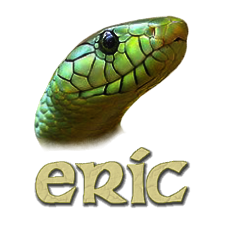
Eric is efficient and is strong in Python IDE and editor features that are generated in Python itself. Eric may also be used for everyday functions or for advanced developers.
It is based on a cross-platform QT toolkit integrated with the powerful Scintilla editor. Eric has an integrated plugin system that offers the IDE features with an easy extension.
Features of Eric
- It offers a configurable window layout and syntax highlighting
- It supports source code folding, brace matching, error highlighting
- It has an integrated source code documentation system
- It includes a plug-in system, which enables the simple extension of the IDE functionality with plug-ins downloadable from the web
Rodeo
Rodeo is among the finest python IDEs generated for activities related to data science, such as collecting information and data from various tools and even mapping problems.
Cross-platform functionality is supported in Rodeo. It can be used in an immersive way as an IDE for experimenting.
It provides all the functions needed for data science or machine learning activities, such as data loading and some form of experimentation.

Features of Rodeo
- It comes with built-in IPython support that helps developers write code faster.
- It provides features like auto-completion and syntax highlighting.
- It comes with cheat sheets and Python tutorials for reference.
- It is ideal for beginners.
In A Nutshell
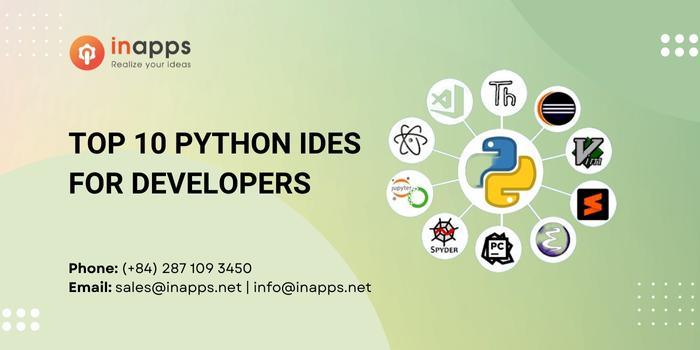
Python is among the major programming languages for designing websites and apps, scripting, and AI.
The Integrated Development Environment (IDE) is a toolkit used to design various components of software, such as selection, integration, and deployment.
In this article, we tried to cover some of the most important Python IDEs that will come in handy for Python developers in 2022.
Visual Studio Code (VS Code) is an open-source environment developed by Microsoft. It is considered to be one of finest Python IDE for Windows that can be used for Python development.
An IDE, or Integrated Development Environment, allows the various facets of composing a computer program to be consolidated by programmers. IDEs improve the productivity of programmers by integrating common software writing tasks into a single application: source code editing, executable creation, and debugging.
Spyder is more lightweight than PyCharm just because PyCharm has many more plugins that are downloaded by default. Spyder gives you access to a larger library that you download when you install the program with Anaconda. But, PyCharm can be a bit more user-friendly because its user interface is customizable from top to bottom.
It adds code completion for python files, python debugging support. Source code can be downloaded from the codeblocks-python on github.
Lastly, if ever you feel the need to learn more about technologies, frameworks, languages, and more – InApps will always have you updated.
List of Keywords users find our article on Google
[sociallocker id=”2721″]
visual studio python
linkedin debugger
django saas
things to do in tartu
wing ide
hire visual basic developers
visual studio code folding
python profiler pycharm
pydev plugin
pydev
game testing automation tools
hire eclipse developers
what is pycharm
spyder bottoms
visual studio community python
pycharm debug
hire moment.js developers
hire pyramid developers
effective pycharm
python ide windows
pycharm create gui
pycharm reviews
pycharm remote development
matplotlib visual studio code
jython scripting training
jython training
python ide 2022
cpython github
simple python ide
vscode code folding not working
hire visual studio developers
jetbrains jobs
code blocks vs visual studio
pycharm find and replace
hire web scraping developers
pycharm search all files
pycharm debugger
spyder ide
pycharm tkinter
what is an ide
anaconda pycharm
python visual studio
outsource python development
python development ide
livecode amazon
pycharm vs spyder
www jetbrains com pycharm
hire eclipse developer
hire remote qt developers
pycharm clear console
hire ide expert
jetbrains python
what is pycharm used for
pycharm plugins
spyder vs rodeo
easy python editor
pycharm free vs paid
find and replace pycharm
debug django pycharm
codeblocks vs vscode
hire qt developers
jetbrains rust
spyder industries
microsoft visual studio python
hire remote flask developer
web2py documentation
anaconda vs pycharm
rodeo software reviews
pycharm specifications
hire pycharm experts
hire pyqt developers
free python development environment
spyder intellisense
visual studio memory profiler
pycharm vs anaconda
download pycharm full
download spyder windows
pycharm extensions for python
python touch
ide python open source
pycharm community remote interpreter
free python ide
pycharm or anaconda for data science
thonny python free download
pycharm educational edition download
tkinter pycharm
django debug tools
download python interpreter pycharm
visual studio profiler
web scraping remote jobs
debug python code online
pycharm flask
visual studio ide python
google application engine latency
spyder tkinter
python pro clean
python tools for visual studio
spyder 5 pro software
python latency
top 10 automation tools
spyder debugger
python django ide
ide thonny
facebook for developers
spyder github
spyder and github
python developer ide
fastest python ide
wing python ide
pycharm professional key
scipy github
app engine python
python wing
jetbrains com pycharm
“visual studio code” “visual studio code”
matplotlib github
open source python ide
pycharm search in all files
spyder plugins
vision spyder
visual studio 2022 django
numpy developers
debug pycharm
pycharm educational vs professional
tartu terminal as
visual studio code profiler
car rentals tartu
pycharm matplotlib
outsource el segundo
eclipse recruitment manager
hire auto mapper developer
pycharm 2022
pycharm community edition django
debug django in pycharm
how to use pycharm
anaconda or pycharm
how to use numpy in pycharm
install tkinter pycharm
rust jetbrains
django with pycharm community
eric nguyen linkedin
frame studio facebook for developers
top python ide
project life core kit
pycharm does not recognize project
scipy 2022
visual basic programmer job
django pycharm debug
linkedin.com debugger
most popular python ide
rust-cpython
atom language support
spyder usagé
ipython pycharm
py dev
pycharm community vs professional
pycharm vs anaconda which is better
web2py database
django jython
download spyder ide
jetbrains profiler
pycharm professional django
pycharm with anaconda
vscode profiling python
eclipse recruitment jobs
vs code python auto import
django pycharm community
facets benefit configuration
jetbrains remote development
pycharm run configuration
spyder debug cell
web development company estonia
eclipse profiler
experience cloud debugger
install numpy visual studio code
jetbrains memory profiler
pycharm key
hire windows console developer
mvp pro key programmer
pycharm
python gui builder pycharm
download matplotlib pycharm
eclipse java profiler
ides server access
pycharm full
remote tools for visual studio 2022
flask saas
java profiler eclipse
jetbrains ide support
pycharm cloud
pycharm personal
find and replace in pycharm
gui python visual studio
hire web scraping developer
how to save in pycharm
python pycharm
rust scipy
web2py review
app engine studio
how to install tkinter in pycharm
pycharm pro key
pycharm visual studio
python flask ide
python web scraping jobs
visual studio python gui
web scraping using pycharm
what is ide for python
debug flask in pycharm
debug python code in pycharm
django atom
download pycharm community for windows
ides jobs
python ide software
visual studio for python
vscode code folding
download spyder for python
eve online python
game source code in python
ide management group
popular ide
python ide for windows 10
search and replace vscode
pycharm vs visual studio code
spyder 5 ide
spyder vietnam
visual studio performance profiler
attentive mobile linkedin
different python ide
django template debug
flask ide
jython environment for students
online python compiler with tkinter
pycharm view variables like spyder
pycharm vs pydev
run python on atom
spyder python download
visual studio code refactoring
visual studio coded ui test
custom python development
debugger in atom
django on google app engine
google cloud python ide
pycharm how to import numpy
pycharm specs
python ide tools
python on visual studio
visual basic vs python
vs code 2022
codecontrol
developer facebook frame studio
django in pycharm
django on pycharm
how to save a project in pycharm
ide consultant
ide group
jetbrains code with me
pycharm breakpoints not working
pycharm vs visual studio
python coding environment
run python code in visual studio
spider ide
spyder python tkinter
tkinter spyder
visual studio clean code
visual studio code ipython
web scraping jobs remote
django project in pycharm
django with pycharm
eclipse recruitment
pycharm remote interpreter
python auto import
python ide debugger
python ide for machine learning
using visual studio for python
visual studio data science
visual studio python interpreter
vs code python
codeblocks debugging
debugger in pycharm
download pycharm community edition
download python interpreter for pycharm
download spyder ide for python
download visual studio for python
find and replace visual studio code
hire flask developers
online python ide for machine learning
pycharm code coverage community edition
python ide microsoft
python on atom
qt eclipse integration
spyder find and replace
visual studio code numpy
visual studio community commercial use
visual tkinter python ide
vs code django
appengine python
debug python code in visual studio
flask google app engine
ides remote access
jetbrains django
microsoft access programmers for hire
pycharm intellisense
python ide comparison
python in vs code
visual studio code flask
google app engine python flask
java mission control eclipse
online python ide with tkinter
pycharm community edition
python compiler editor
django in vscode
python phone case
visual studio code python debugging
app engine
google app engine latency
app engine integration
google app engine integration
python basic syntax
namespaces in python
gae latency
50+ Advanced JavaScript Interview Questions for 2025
[/sociallocker]
Rate this post
Related Articles

Want to apply these insights?
Our AI architects offer free 45-minute consultations to discuss your specific use case.
Book a Discovery Call